
All your sheet music. Finally on Android.
ScoreDesk is a sheet music reader for Android tablets and phones: import your PDF scores, mark them up, and bring them to every rehearsal and gig.
 Free download for Android phones and tablets
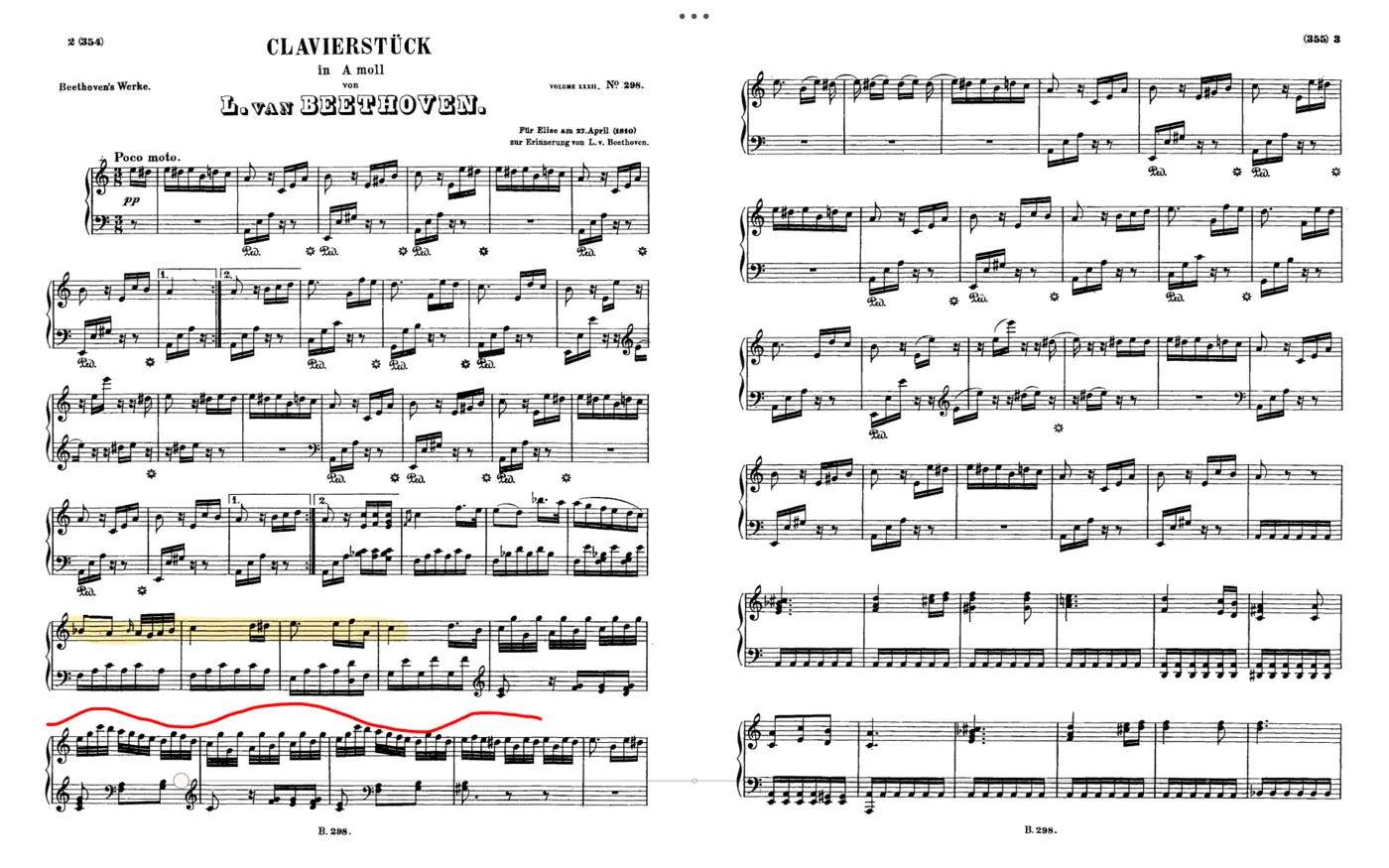
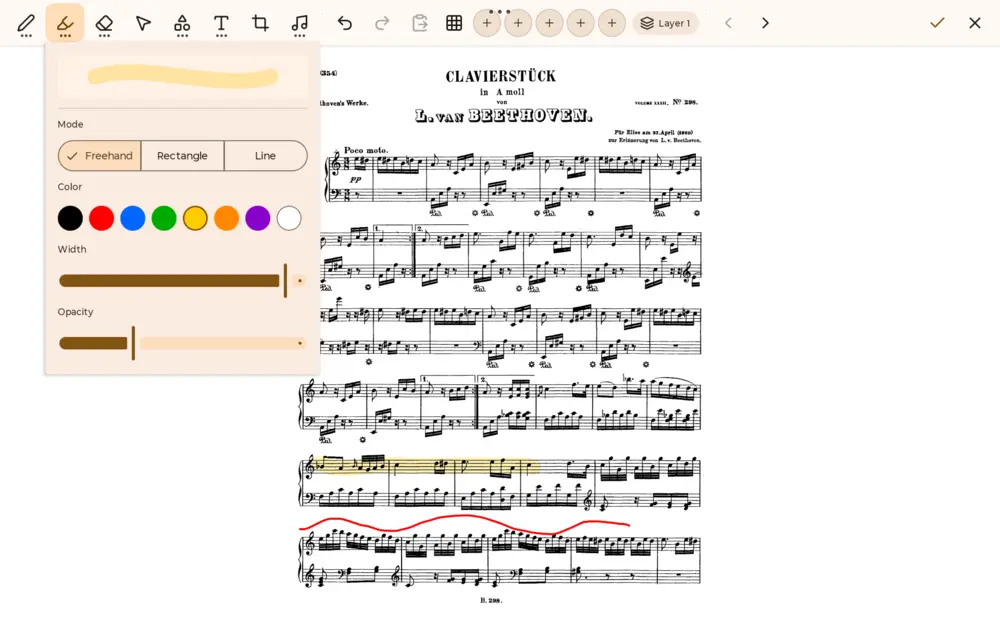
Annotate like paper. Erase without a trace.
Write in fingerings, highlight the tricky bars and mark your entrances right on the score, with your finger or a stylus. Annotations live in layers on top of the page, and your original PDF stays untouched.
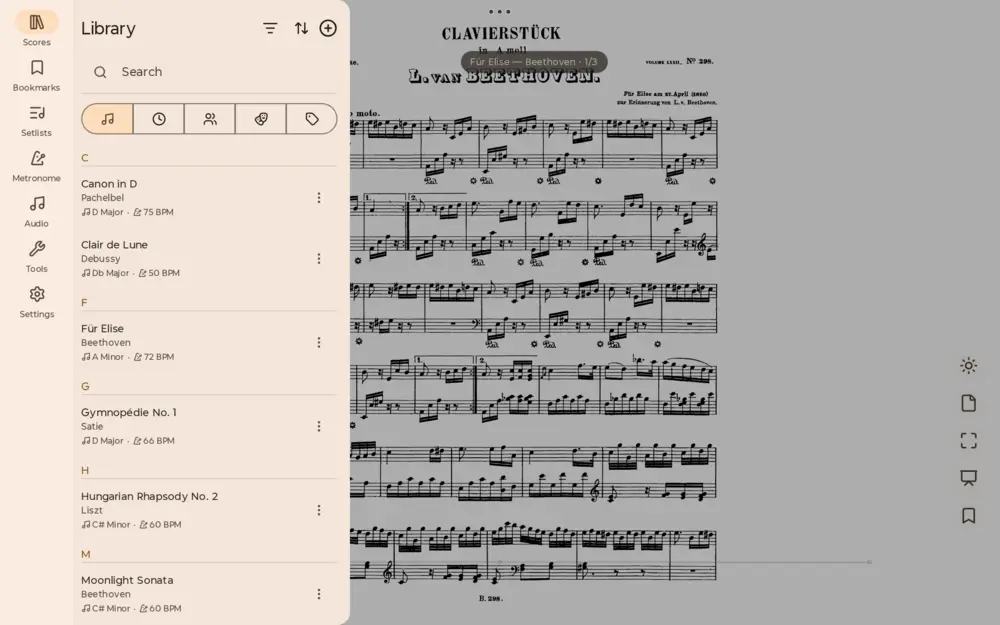
Your sheet music, actually organized.
File your scores by title, artist, key and tempo. Search finds any piece in seconds, and setlists put tonight's program in order, from the first downbeat to the encore.
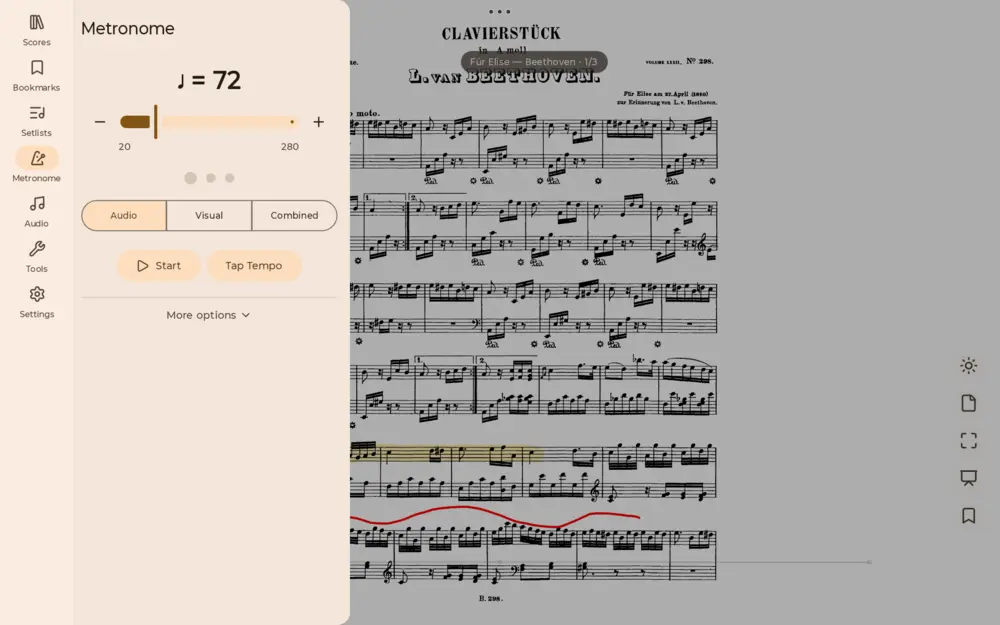
A metronome, right where you read.
The built-in metronome sits next to your score, so practicing at tempo never means switching apps mid-phrase.
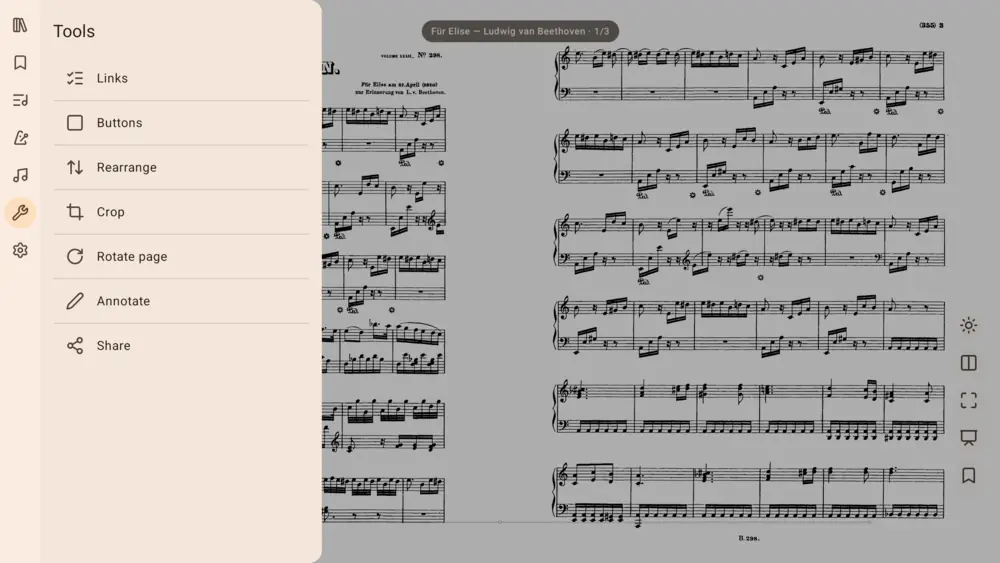
Get any score into shape.
Crop away scanner margins, rotate a page that came in sideways, reorder or insert pages, and add jump links so a repeat lands where it should.
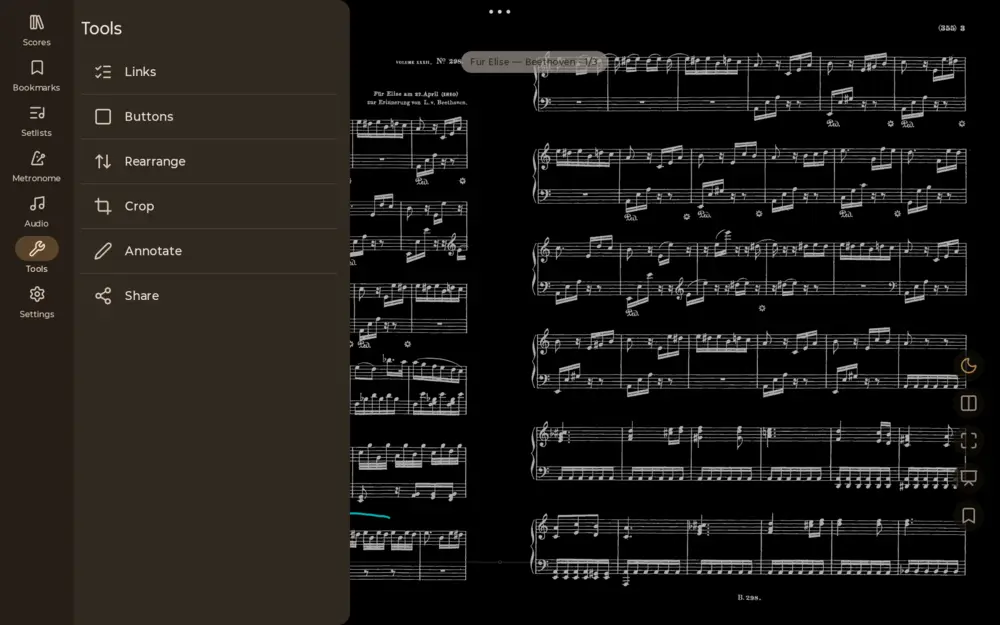
Built for the stage, not just the practice room.
Night mode keeps the music readable in dim pits and darkened halls, and tap zones turn pages without breaking your hand position.
Everything else a sheet music reader should do
Setlists Line up the program for every rehearsal and gig.
Cloud import Pull scores from Google Drive, OneDrive and Dropbox.
Pedal support Turn pages hands-free with a Bluetooth pedal.
Bookmarks Jump straight to movements and sections.
Page crop Trim the margins so the music fills the screen.
Audio player Play along to a recording, right beside the score.
One developer builds it, and answers your email.
ScoreDesk is built and supported by one developer: bug reports and feature requests are read by the person who writes the code, at support@scoredesk.app.
Frequently asked questions
Is ScoreDesk free?
Yes. ScoreDesk is free to download and use on Android. Everything described here (annotations, the metronome, setlists, cloud import, pedal support) is in the free version. The optional Pro upgrade simply lifts the library limits.
What does Pro unlock?
Pro removes the library limits of the free version: unlimited scores, setlists and bookmarks. It does not hide features behind a paywall: every tool is already in the free app. Pro is a one-time purchase; pay once and it is yours, with no subscription.
Does ScoreDesk show ads or require an account?
No ads, and no account required: install it and open your first score straight away. It also works offline: reading and annotating your PDF scores never needs a connection. You only sign in to a cloud service if you choose to import scores from Google Drive, OneDrive or Dropbox.
Can I read PDF sheet music on an Android tablet?
Yes: PDF is the native format. Import your PDF scores from your device or from Google Drive, OneDrive and Dropbox, and they become part of your searchable music library.
Does ScoreDesk work on Android phones as well as tablets?
Yes. ScoreDesk runs on Android phones and tablets. The reading experience is designed tablet-first, because a tablet is the closest thing to paper.
Does ScoreDesk support a Bluetooth page turner pedal?
Yes. Pair a Bluetooth page turner pedal with your Android device and turn pages hands-free while you play.
Can I annotate my sheet music?
Yes: draw, highlight and write on the score with your finger or a stylus. Annotations are stored in layers on top of the page, so the original PDF file is never modified.
Does ScoreDesk have a metronome?
Yes, a metronome is built in and opens right next to the score, so you can practice at tempo without switching apps.
Leave the photocopies at home.
Put your whole repertoire on the tablet you already own.